
By Michael Hilkemeijer
How to Integrate ICT in Lesson Plans as a Member
Amanda, a Year 4 teacher, once felt the same uncertainty many educators experience when it comes to integrating technology in the classroom. She had tried using iPads and PowerPoint in her English lessons but felt they were more of a distraction than a help. What she needed wasn't more apps or digital tools. She needed a structured way to plan and teach with ICT that made sense in her context.
That shift began when Amanda joined the ICT in Education Teacher Academy.
Step 1: Discovering What ICT Integration Really Means
Before joining, Amanda thought ICT in the classroom simply meant using devices to keep students engaged. Through the membership, she learned that integration of ICT in teaching and learning is about aligning the digital tools with learning outcomes, not just using them for the sake of it.
Inside the Lesson Planning Template (pg. 114), she found the structure to:
-
Unpack learning intentions and identify what students needed to achieve
-
Consider how ICT could enhance or extend the learning—not just support it
-
Cross-check against curriculum goals and relevant general capabilities
Amanda stopped thinking about "tech first" and started thinking about purposeful technology that would help her achieve better learning outcomes.
Membership Insight: The workbook prompts for Technological Pedagogical Knowledge helped Amanda shift from using ICT occasionally to thinking like an ICT-integrated teacher.
Step 2: Learning the Structure for Planning ICT-Integrated Lessons
The membership introduced Amanda to a 5-step ICT lesson planning system. It didn’t just tell her what to do—it gave her the tools and templates to apply it.
Membership Lesson Planning Process in Action
| STEP | AMANDA'S MEMBERSHIP TOOLS | WHAT SHE APPLIED IN THE CLASSROOM |
|---|---|---|
| Identify | Lesson Planning Template | Mapped writing goals to email as communication |
| Plan | Curriculum + ICT Alignment Section | Selected TalkandWrite + email template tools |
| Deliver | ICT Levels of Differentiation | Differentiated tasks to support learner needs |
| Observe | Observation Guide (pg. 101) | Tracked ICT fluency, collaboration and dialogue |
| Reflect | Community Reflection Prompts (pg. 182) | Refined next lesson with member input |
Core Practice: Applying a 5-step ICT lesson design structure
Membership Insight: Amanda didn’t have to guess her way through ICT integration. She followed a clearly defined sequence built into the workbook.
What Are the Key Principles of ICT Integration?
Through Amanda’s experience, the following principles became clear—not as abstract ideas, but as part of her everyday planning, delivery, and reflection. These are taught, modelled, and applied throughout the membership.
| PRINCIPLE | MEMBERSHIP PRACTICE OR TOOL | EXAMPLE FROM AMANDA'S LESSON |
|---|---|---|
| Purposeful alignment with goals | Lesson Planning Template (pg. 114) | Used email to support writing curriculum goals |
| Pedagogy before technology | TPACK prompts + planning steps | Focused on communication, not tools |
| Differentiation by design | ICT Levels of Differentiation framework | Scaffolded the same task for all ICT abilities |
| Evidence-based instruction | Observation Guide (pg. 101) | Tracked specific digital communication outcomes |
| Ongoing reflection and refinement | Community Reflection Prompts (pg. 182) | Evolved narrative writing to persuasive writing |
Membership Insight: These principles are not just theory. They are embedded into every workbook template, activity, and reflection prompt.
Step 3: Applying ICT Differentiation in the Classroom
Amanda’s lesson involved students creating a narrative via email. But her class had different skill levels with ICT.
Using the ICT Levels of Differentiation framework, Amanda was able to:
-
Identify three levels of ICT confidence
-
Prepare tailored resources to suit each group
-
Ensure all students were working on the same objective—but with appropriate support
Differentiation in Practice: Email Storytelling Activity
| ICT CAPABILITY LEVEL | HOW AMANDA ADAPTED THE LESSON USING MEMBERSHIP SUPPORT |
|---|---|
| Beginner | Students used basic word processing to write short responses; Amanda provided digital sentence starters to scaffold their communication. |
| Intermediate | Students composed their own emails using structured templates and practiced opening, replying, and formatting digital messages. |
| Advanced | Students independently composed and peer-reviewed narrative emails, focusing on tone, clarity, and digital etiquette. |
Core Practice: Differentiating ICT use without rewriting the lesson
Membership Insight: Differentiation wasn’t about three different lessons—it was about three versions of the same task, supported by ICT scaffolds from the workbook.
Step 4: Observing Student Progress with ICT
In the past, Amanda would observe writing or speaking skills—but not ICT capability.
With the Observation Guide (pg. 101), Amanda tracked:
-
How students communicated ideas digitally
-
Their understanding of digital etiquette and formatting
-
Whether they could revise based on digital feedback
Core Practice: Observing ICT learning using specific criteria
Membership Insight: By using the guide, Amanda began building an evidence portfolio aligned with the curriculum's ICT capability strand.
Step 5: Reflecting and Evolving Practice
After the lesson, Amanda used the Community Reflection Prompts (pg. 182) to refine her teaching. She posted in the forum:
“How can I evolve this narrative email task into something persuasive for next term?”
The replies she received included:
-
A persuasive writing activity using a class blog
-
Ideas for video-based storytelling to support speaking and listening goals
-
Strategies for visual support tools for EAL/D learners
Amanda added her reflections to the TPACK radar chart and noted growth in her ability to integrate technology with literacy objectives.
Core Practice: Reflecting to inform future ICT planning
Membership Insight: Reflection wasn’t just a solo task—it was collaborative, practical, and tied to evidence of student learning.
Amanda’s Full Journey with the Membership
Amanda didn’t just learn how to use ICT. She learned how to:
-
Plan with intention
-
Teach with confidence
-
Adjust with insight
-
Reflect with support
Amanda’s Professional Growth in Practice
| AMANDA'S TEACHING CHALLENGE | MEMBERSHIP-BASED SOLUTION AND OUTCOME |
|---|---|
| Disjointed tech use in literacy | Used email for authentic communication aligned with curriculum |
| Lack of planning structure | Applied 5-step lesson planning process from the workbook |
| Difficulty engaging all learners | Differentiated ICT strategies using workbook scaffolds |
| No way to track ICT learning | Used observation guide to monitor and record progress |
| Isolated in reflection and growth | Engaged with peers in the member community for feedback and ideas |
What Helped Amanda Get There?
The membership gave Amanda more than lesson plans. It gave her a learning path, community, and a toolkit.
| AMANDA'S PROFESSIONAL NEEDS | MEMBERSHIP FEATURE THAT MET IT |
|---|---|
| Plan ICT-rich lessons with clarity | Lesson Planning Template + Examples |
| Scaffold ICT tasks for all learners | ICT Levels of Differentiation Tool |
| Assess ICT skill development | Observation Guide (pg. 101) |
| Connect with other ICT-minded teachers | Member Forum + Community Reflection Prompts |
| Track growth and align with standards | TPACK Radar + Curriculum Alignment Prompts |
The Member’s Path to Confident ICT Integration (Step-by-Step Summary)
| WHAT YOU DO AS A MEMBER | WHAT PRINCIPLE IT DEMONSTRATES |
|---|---|
| Use the planning template to design lessons | Purposeful alignment with pedagogy and curriculum |
| Choose ICT tools that extend—not replace—learning | Pedagogy before technology |
| Apply scaffolds for students with varying ICT skills | Inclusive, differentiated integration |
| Observe and record ICT progress | Evidence-based instruction |
| Reflect using workbook prompts and community feedback | Continuous improvement through reflection |
Every time you complete this cycle, you’re not just teaching ICT—you’re growing as a teacher who can plan, adapt, and transform learning through technology.

From First Download to Leader: A Member’s ICT Integration Journey
Ellie, a newly appointed Year 5 teacher, felt overwhelmed by the idea of integrating technology into her lesson plans. She had heard of the benefits—engagement, creativity, future readiness—but didn’t know where to start or how to integrate ICT in lesson plans meaningfully.
Then she joined the ICT in Education Teacher Academy.
Starting the Journey: Gaining Clarity on What ICT Integration Really Means
Before joining, Ellie thought ICT in the classroom was simply about using a computer or an app during class. Through the membership’s foundational videos, she discovered that ICT integration in teaching and learning is about far more—it’s about aligning digital tools to amplify learning goals and pedagogy.
She watched:
-
“What is technology integration?”
-
“Why you need a digital pedagogy?”
-
“Building teacher confidence in ICT integration”
These videos shifted her mindset from “using ICT” to “teaching with ICT.”
Member Insight: "I realised I didn’t need to master every tool—I needed to know how to match the right tool to the right learning goal.”
Choosing and Using Her First ICT-Integrated Lesson Plan
Inside the Members’ Library, Ellie filtered lesson plans by subject (English), age group (Years 3–6), and focus (writing outcomes). She selected a persuasive writing lesson that used email as the communication tool.
She chose this plan based on:
-
The learning outcome (developing persuasive writing techniques)
-
Her available technology (laptops and access to email)
-
Her classroom context (mixed digital confidence among students)
Ellie used the workbook’s planning prompts to:
-
Adapt the plan to scaffold for beginners
-
Note differentiation options for advanced students
-
Prepare an observation focus (digital writing structure)
Core Practice: Ellie wasn't just using a plan—she was learning how to plan with ICT in mind, supported by the structure of the membership.
Reflecting and Seeking Feedback from the Community
After teaching the lesson, Ellie used the workbook’s Critical Reflection Questions and observation checklist to assess student responses. She then posted in the member community:
“How do I scaffold email writing for students with low typing skills?”
Within 24 hours, she had responses:
-
Use of sentence starters in a shared Google Doc
-
A short video walkthrough of email basics
-
An idea to pair students for digital peer coaching
She returned to the lesson plan, added notes to the workbook, and saved her adapted version for future use.
Member Insight: Reflection was no longer an isolated task—it was a process backed by evidence, peer input, and personal growth.
Broadening Practice with Cross-Curricular ICT Lesson Plans
Ellie’s next step was to explore beyond literacy. She browsed science and HASS lesson plans, selecting one on ecosystems that used a digital timeline app.
| PLANNING ELEMENT | WHAT ELLIE DID THROUGH THE MEMBERSHIP |
|---|---|
| Learning Goal | Deepen understanding of ecosystems |
| Context | Group research using laptops |
| Digital Tool Chosen | Interactive timeline builder |
| Adaptation Strategy | Paired grouping + scaffolded research framework |
| Reflection Prompt | “How did this digital tool change the way students learn?” |
She documented the activity’s impact using the ICT Capability Reflection Tool, noting improvements in digital collaboration and information organisation.
Member Insight: The more she used the lesson plans, the more confident she became in choosing and adapting ICT to meet curriculum goals.
Applying Professional Growth Tools in the Workbook
Ellie used the TPACK Radar to monitor her growth in Technological Pedagogical Knowledge. She recorded how each lesson helped her:
-
Make more informed technology choices
-
Plan more purposefully
-
Build stronger links between ICT and subject learning
She also used the APST-aligned templates to document her practice for professional review.
Core Practice: Ellie wasn’t just delivering lessons—she was tracking her development as an ICT-integrated educator.
Becoming a Contributor: Sharing Her Own ICT Lesson Plans
Months later, Ellie found herself helping new members answer questions she once had. She uploaded:
-
A Year 5 science lesson using digital posters for animal classification
-
A civics task that used interview simulations recorded on tablets
She created a playlist in the Members’ Library called “Real-World Writing with ICT”, and hosted a Q&A thread on “how to integrate ICT in lesson plans for inquiry units.”
Member Insight: Contribution wasn’t just about sharing—it was a reflection of how far she had come and the confidence she had gained.
Summary: Ellie’s Step-by-Step Membership Path
| MEMBERSHIP MILESTONES | ELLIE'S EXPERIENCE |
|---|---|
| Understand integration | Watched foundational videos and shifted her pedagogy |
| Select lesson plan | Filtered library by outcome, context, and tools |
| Adapt and apply | Used workbook to differentiate and scaffold ICT tasks |
| Observe and reflect | Documented student growth using observation and reflection |
| Expand across subjects | Applied ICT integration to HASS, Science, and inquiry |
| Track growth | Used TPACK radar + APST logs to document professional learning |
| Contribute and lead | Created playlists, shared plans, and supported new members |
“The membership gave me a structure to follow, a place to learn, and the confidence to lead.”
Ready to Learn How to Integrate ICT in Lesson Plans Like Ellie?
If you’ve skipped to the end, here’s what Ellie’s story shows you about what it really means to learn how to integrate ICT in lesson plans through the membership:
| MEMBER LEARNING MILESTONE | WHAT ELLIE DID THROUGH THE MEMBERSHIP |
|---|---|
| Learn what ICT integration is | Watched videos to shift mindset from 'using tech' to 'teaching with tech' |
| Plan with ICT in mind | Filtered lesson plans by outcome, tools, and context |
| Apply and differentiate | Used the workbook to adapt activities and scaffold tasks |
| Reflect and improve | Collected student observations and posted in the community |
| Integrate across subjects | Applied digital tools to science and HASS lessons |
| Track professional growth | Used TPACK radar and APST templates to document and reflect |
| Lead and share | Created playlists, shared custom lessons, and supported peers |
Key takeaway: You don’t just receive ICT lesson plans—you receive a professional roadmap that helps you grow, reflect, and lead others in technology-integrated teaching.
The ICT in Education Teacher Academy is designed to take you step by step:
-
Learn the foundations of technology integration
-
Download and adapt ready-to-use lesson plans
-
Use the workbook to differentiate, reflect, and track your progress
-
Share ideas and learn from a community of educators just like you

Save Time and Grow Professionally with ICT Lesson Plans
When educators search for a lesson plan with ICT integration, they’re often looking for more than a quick download—they want lesson plans that save time and also support professional growth.
This is exactly what the ICT in Education Teacher Academy offers. Every ICT-integrated lesson plan inside the membership is designed not only to align with curriculum outcomes but to build your capability and confidence as a teacher integrating digital technology.
Below you’ll find examples of activities and plans across year levels, with a focus on early childhood education (up to Year 3) and primary school levels. These are just a sample of what’s available in the membership, where every download is supported by planning templates, observation guides, differentiation ideas, and reflective learning tools.
Here’s what makes these lesson plans especially powerful for members:
-
Save hours of planning time with done-for-you, classroom-ready digital lesson plans.
-
Each plan includes observation tables that connect ICT capability with higher order thinking, computer skills, and key learning areas.
-
Use tiered differentiation strategies to adjust tasks based on student confidence and tool familiarity.
-
Reflective workbook prompts help members align activities with curriculum outcomes and track their growth.
-
APST-aligned templates support evidence collection for teacher accreditation.
-
Gain insight into ethical, safe ICT use through guided reflection sections.
-
Use your professional learning log to track completed workshops and their classroom application.
-
The Success Path structure supports long-term growth—transforming your use of technology over time.
-
Members explore variations and share adaptations through the Wisdom Tool and Community Forum.
-
Each lesson becomes a checkpoint in your transformation—not just a one-off activity.
Kindergarten Lesson Plan Examples
Kindergarten and preschool educators in the membership enjoy a growing library of digital activity ideas that spark engagement, creativity, and communication. Here are 10 examples used by members:
-
Digital Storytelling with Speech Bubbles
Children take photos using a tablet and overlay speech bubbles in a storytelling app. This allows them to narrate experiences, recreate stories, or invent their own adventures. Teachers use this to build early literacy, sequencing, and digital communication skills.
In the membership, educators can download the full lesson plan with clear steps, a planning template, and an observation guide aligned to early learning outcomes. This makes it easy to document learning for portfolios or parent sharing.
-
Photo Nature Walks
Armed with digital cameras or tablets, children explore the outdoor environment to photograph patterns, colours, and textures. These photos are later discussed and sorted into digital categories or collages.
The lesson encourages observation and introduces basic digital photography skills. Members benefit from using the workbook’s reflection prompts to deepen learning and link to science and expressive arts.
-
Shape Tracing with Bee Bots
Students use Bee Bots to trace large outlines of shapes such as circles or triangles. As they program directional commands, they reinforce their understanding of spatial language and shape properties.
Inside the membership, this plan includes variations for learners at different stages and an observation tool that tracks vocabulary use and logical reasoning.
-
Drawing Emotions on iPads
Children explore emotions by digitally drawing different facial expressions. They may be asked to illustrate how they feel today or represent how a story character feels.
The downloadable plan offers ideas for class discussion, app recommendations, and documentation pages for formative assessment.
-
Augmented Reality Animals
Children scan AR cards or use AR apps to view 3D animals in their real-world space. They ask questions, describe the animals, and compare features.
This highly engaging activity is supported in the membership by planning templates and documentation tools to capture children’s inquiry and oral language development.
-
Digital Puppet Shows
Children act out simple stories using puppets and record their performances with a tablet. They learn to speak clearly, listen back to themselves, and reflect.
Members access planning and reflection tools to guide storytelling structure, voice clarity, and social interaction goals.
-
QR Code Treasure Hunt
Children follow a series of QR code clues hidden around the classroom or playground. Each code reveals a question or movement task, which they complete in teams.
The membership version includes a ready-to-print treasure hunt template and guidance for scaffolding problem-solving and sequencing.
-
Coding Each Other with Direction Cards
Students use simple arrow cards to direct a peer from one point to another on a large grid. One plays the “coder,” the other the “robot.”
Teachers are supported in using the lesson plan to introduce foundational coding logic while observing verbal sequencing and spatial awareness.
-
Interactive Letter Tracing
Using apps that allow tracing with fingers or styluses, children practice letter formation in a fun, digital format. Sounds and visuals reinforce correct formation.
Educators use the membership workbook to reflect on fine motor development and phonemic awareness in the activity.
-
Speech Bubble Comics
Children create a short comic by taking photos and adding speech or thought bubbles to retell a class event. They print or display their work to share with others.
This plan is fully supported in the membership with prompts for dialogue creation, storytelling structure, and early literacy outcomes.
Year 1 Lesson Plan Examples
-
Interactive Story Retell with Digital Images
Students take a sequence of digital photos that illustrate the key parts of a familiar story, then use a digital tool to organise and retell the narrative. This activity builds sequencing, comprehension, and visual storytelling skills.
The membership provides a structured planning template that aligns the activity to English curriculum outcomes and includes an observation table to track verbal storytelling and comprehension growth.
-
Design a Book Cover Digitally
Children create a new book cover for a familiar story using basic design software. They select colours, fonts, and illustrations that reflect the book’s themes and characters.
Educators use the workbook reflection tool to document student reasoning, and the lesson plan includes scaffolding suggestions for students who need help with layout or imagery.
-
Digital Weather Journal Using Tables
Students use a spreadsheet or table-making app to record weather observations over a week. They label days, draw icons, and add simple notes.
The lesson supports cross-curricular links with science and numeracy. Members use the observation guide to assess vocabulary use and ICT navigation skills.
-
Narrative Slide Sequencing
Children create a digital slideshow with one sentence and one image per slide to sequence a personal or imaginative story. This develops sentence fluency and digital presentation skills.
Inside the membership, educators follow workbook prompts to evaluate structure and coherence, and differentiation ideas allow for voice recording instead of text for emerging writers.
-
Bee Bot Vocabulary Adventure
Teachers set up themed vocabulary stations. Children program Bee Bots to travel to a word, then use that word in a sentence.
The lesson plan includes cross-curricular vocabulary lists and planning support to align with learning goals. Members can use the community to share variations of this setup.
-
Digital Animal Fact Card Creation
Children research an animal and create a digital fact card with an image, three facts, and a title. This promotes information synthesis and digital formatting skills.
Workbook prompts help educators reflect on how students organise information and evaluate their digital publishing skills.
-
Online Etiquette with Poster Design
Students create posters illustrating one online behaviour rule, such as not sharing personal information or using kind words online.
The lesson includes APST-linked reflection on digital citizenship. Members use the observation table to assess understanding of online safety.
-
Class Photo Timeline (Past–Present)
Using classroom photos, students create a visual timeline of classroom routines or changes over the school year.
Teachers document language use and temporal vocabulary with the observation guide. The workbook provides a space to reflect on student interpretation of time concepts.
-
Voice-to-Text Story Writing Practice
Students dictate a short story using a voice-to-text feature. They then edit the digital transcription with support.
The lesson supports emergent writing. Members use differentiation prompts and reflection logs to scaffold and record student progress.
-
Exploring Word Families with Audio Clips
Students record themselves reading words in a word family and pair it with images in a slideshow or digital book.
Workbook tools help teachers evaluate phonics knowledge and monitor oral fluency development.
Each lesson plan provides ECE-appropriate integration of ICT with clear learning outcomes, supporting digital literacy from the start.
Year 2 Lesson Plan Examples
-
Narrative Writing with Images
Students use word processors to insert a photo and write a short narrative describing a character's emotions. The activity helps build writing, visual literacy, and ICT skills such as formatting text and using images.
The planning template aligns this task with literacy outcomes and ICT capability. Educators track comprehension and formatting using observation tables in the workbook.
-
Procedure Writing with Photos
Children insert photos of themselves performing an action and write a short description and procedural text. This teaches sequencing, ICT navigation, and procedural writing using word processors.
Members follow structured planning tools to link the activity with text structure goals. Differentiation prompts help support sequencing and image use.
-
Imaginative Email to Story Characters
Students write and send emails to a fictional character, encouraging questioning and narrative engagement. Teachers guide safe email use and role-play to enhance understanding of storytelling and digital communication.
The lesson plan provides guidance on digital safety and storytelling. Members reflect using workbook prompts on communication skills and engagement.
-
My First Stories with PowerPoint
Students create short stories using PowerPoint by inserting text and pictures. The activity supports spelling, storytelling, and basic presentation software skills, promoting independent writing with digital tools.
Reflection prompts in the workbook help educators document spelling focus, image selection, and narrative structure. Observation guides assess presentation fluency.
-
Fruit and Seeds Observation Report
Children observe fruit and seeds, take digital photos, and present their findings in a PowerPoint template. They practice scientific comparison and description through digital storytelling formats.
Members use the science-aligned planning template and observation tools to guide vocabulary, analysis, and use of digital comparison charts.
-
Weather Report Video Project
Students script, rehearse, and record a short video weather report, building communication and digital performance skills while linking to literacy and science topics.
Workbook prompts support assessing communication clarity, group collaboration, and effective use of visuals. Teachers reflect on ICT integration outcomes.
-
Design a Class Flag
Children brainstorm classroom values and use drawing software to design a flag. This integrates art, civics, and technology, encouraging creativity and symbolic representation.
Planning tools help members align the activity with civic outcomes. Reflection prompts guide evaluation of symbolism and group participation.
-
All About Me Slide Book
Students create digital books about themselves with drawings, text, and images. This boosts self-expression, identity awareness, and familiarity with digital publishing tools.
The activity is scaffolded with workbook tools for assessing vocabulary, writing, and confidence. Educators track student use of images and structure.
-
Emotions Illustrated Digitally
Children illustrate different emotions using paint or drawing apps. The activity supports social-emotional learning while teaching digital art techniques.
Members link this to SEL outcomes using workbook planning. Differentiation strategies support varied expressive and fine motor skills.
-
Create a Rhyming Poem Recording
Students compose short rhyming poems and record them using audio apps. This fosters fluency, rhythm, and performance confidence using digital storytelling methods.
Educators use the workbook's reflection section to document fluency development. Observation tables support tracking rhyme use and digital performance confidence.
These lessons are supported with workbook reflection tools, ethical ICT use discussions, and adaptable implementation formats.
Year 3 Lesson Plan Examples
-
Email Writing Practice to Characters
Students compose email messages addressed to fictional story characters, discussing plot developments or asking questions about character decisions. This builds persuasive writing, empathy, and ICT literacy in composing, sending, and formatting emails.
Membership resources support safe online communication and scaffold students’ exploration of email structure. Teachers can use observation tables to track sentence structure, tone, and vocabulary. The workbook reflection page allows members to assess how the task supports narrative comprehension and digital communication goals.
-
Digital Retell with Comic Strip Apps
Learners use apps to create comic strips that retell a familiar story or recount a personal experience. They select characters, sequence events, and incorporate speech bubbles.
The lesson plan helps align ICT activities with literacy goals, and the reflection log guides members to evaluate sequencing skills and visual narrative elements. Suggestions are provided for differentiated support through icon prompts or storyboards.
-
Online Presentation: Life Cycle Project
Students research an animal's life cycle and present findings using a digital slide deck. They embed images, titles, and descriptions.
Members use the workbook’s planning template to map learning objectives and track research and presentation skills. Observation prompts guide the teacher in evaluating content clarity, image selection, and scientific vocabulary.
-
Create a Digital Glossary
After reading an information text, students select challenging words and build a digital glossary that includes definitions, example sentences, and images.
The downloadable lesson supports vocabulary building and information skills. Members use the community forum to share adaptations, such as adding voice recordings or linking words to visual dictionaries.
-
Storyboarding an Animated Tale
Students storyboard an animated tale using slides or digital whiteboards. Each frame includes key dialogue or action, supporting visual and written planning.
Workbook tools guide educators in assessing clarity, pacing, and multimodal storytelling. The observation guide helps track planning and detail inclusion.
-
Create an Online Safety eBook
Students create a digital book teaching younger students about online safety, covering topics such as password security or respectful online communication.
Educators use the planning template to connect this to health and wellbeing outcomes. Members reflect on ethical ICT use and share student work in the forum.
-
Survey and Chart Class Hobbies
Using simple survey tools or spreadsheet apps, students collect peer data and create charts to represent class hobbies.
The workbook includes ICT capability checklists to track skills such as form creation, data collection, and graphing. Reflection prompts explore the purpose of data visualisation.
-
Create an Audio Tour of the School
Learners script and record audio describing key areas of the school. This supports speaking, listening, and basic audio editing skills.
Members use the observation tool to assess clarity, intonation, and sequencing. Planning support ensures curriculum alignment with literacy and digital fluency.
-
Design a Digital Cover for Your Favourite Book
Students design a new cover using drawing tools or digital publishing programs, selecting images, colours, and fonts that reflect the story’s tone.
Workbook templates allow teachers to assess creative decisions, layout planning, and justification of design choices. The observation log supports the evaluation of digital formatting skills.
-
Interactive Timeline of Historical Events
Children build an interactive timeline using digital tools, linking key events with images, dates, and text explanations.
Planning sheets help members scaffold historical understanding and chronological ordering. Reflection tools support the evaluation of temporal vocabulary and digital organisation.
Each Year 3 lesson plan is designed to strengthen both digital fluency and subject-area understanding, with every step supported by the ICT in Education Teacher Academy membership.
Save Time and Grow Professionally with ICT Lesson Plans
When educators search for a lesson plan with ICT integration, they’re often looking for more than a quick download—they want lesson plans that save time and also support professional growth.
This is exactly what the ICT in Education Teacher Academy offers. Every ICT-integrated lesson plan inside the membership is designed not only to align with curriculum outcomes but to build your capability and confidence as a teacher integrating digital technology.
Below you’ll find examples of activities and plans across year levels, with a focus on early childhood education (up to Year 3) and primary school levels. These are just a sample of what’s available in the membership, where every download is supported by planning templates, observation guides, differentiation ideas, and reflective learning tools.
Here’s what makes these lesson plans especially powerful for members:
-
Save hours of planning time with done-for-you, classroom-ready digital lesson plans.
-
Each plan includes observation tables that connect ICT capability with higher order thinking, computer skills, and key learning areas.
-
Use tiered differentiation strategies to adjust tasks based on student confidence and tool familiarity.
-
Reflective workbook prompts help members align activities with curriculum outcomes and track their growth.
-
APST-aligned templates support evidence collection for teacher accreditation.
-
Gain insight into ethical, safe ICT use through guided reflection sections.
-
Use your professional learning log to track completed workshops and their classroom application.
-
The Success Path structure supports long-term growth—transforming your use of technology over time.
-
Members explore variations and share adaptations through the Wisdom Tool and Community Forum.
-
Each lesson becomes a checkpoint in your transformation—not just a one-off activity.
Kindergarten Lesson Plan Examples
Kindergarten and preschool educators in the membership enjoy a growing library of digital activity ideas that spark engagement, creativity, and communication. Here are 10 examples used by members:
-
Digital Storytelling with Speech Bubbles
Children take photos using a tablet and overlay speech bubbles in a storytelling app. This allows them to narrate experiences, recreate stories, or invent their own adventures. Teachers use this to build early literacy, sequencing, and digital communication skills.
In the membership, educators can download the full lesson plan with clear steps, a planning template, and an observation guide aligned to early learning outcomes. This makes it easy to document learning for portfolios or parent sharing.
-
Photo Nature Walks
Armed with digital cameras or tablets, children explore the outdoor environment to photograph patterns, colours, and textures. These photos are later discussed and sorted into digital categories or collages.
The lesson encourages observation and introduces basic digital photography skills. Members benefit from using the workbook’s reflection prompts to deepen learning and link to science and expressive arts.
-
Shape Tracing with Bee Bots
Students use Bee Bots to trace large outlines of shapes such as circles or triangles. As they program directional commands, they reinforce their understanding of spatial language and shape properties.
Inside the membership, this plan includes variations for learners at different stages and an observation tool that tracks vocabulary use and logical reasoning.
-
Drawing Emotions on iPads
Children explore emotions by digitally drawing different facial expressions. They may be asked to illustrate how they feel today or represent how a story character feels.
The downloadable plan offers ideas for class discussion, app recommendations, and documentation pages for formative assessment.
-
Augmented Reality Animals
Children scan AR cards or use AR apps to view 3D animals in their real-world space. They ask questions, describe the animals, and compare features.
This highly engaging activity is supported in the membership by planning templates and documentation tools to capture children’s inquiry and oral language development.
-
Digital Puppet Shows
Children act out simple stories using puppets and record their performances with a tablet. They learn to speak clearly, listen back to themselves, and reflect.
Members access planning and reflection tools to guide storytelling structure, voice clarity, and social interaction goals.
-
QR Code Treasure Hunt
Children follow a series of QR code clues hidden around the classroom or playground. Each code reveals a question or movement task, which they complete in teams.
The membership version includes a ready-to-print treasure hunt template and guidance for scaffolding problem-solving and sequencing.
-
Coding Each Other with Direction Cards
Students use simple arrow cards to direct a peer from one point to another on a large grid. One plays the “coder,” the other the “robot.”
Teachers are supported in using the lesson plan to introduce foundational coding logic while observing verbal sequencing and spatial awareness.
-
Interactive Letter Tracing
Using apps that allow tracing with fingers or styluses, children practice letter formation in a fun, digital format. Sounds and visuals reinforce correct formation.
Educators use the membership workbook to reflect on fine motor development and phonemic awareness in the activity.
-
Speech Bubble Comics
Children create a short comic by taking photos and adding speech or thought bubbles to retell a class event. They print or display their work to share with others.
This plan is fully supported in the membership with prompts for dialogue creation, storytelling structure, and early literacy outcomes.
Year 1 Lesson Plan Examples
-
Interactive Story Retell with Digital Images
Students take a sequence of digital photos that illustrate the key parts of a familiar story, then use a digital tool to organise and retell the narrative. This activity builds sequencing, comprehension, and visual storytelling skills.
The membership provides a structured planning template that aligns the activity to English curriculum outcomes and includes an observation table to track verbal storytelling and comprehension growth.
-
Design a Book Cover Digitally
Children create a new book cover for a familiar story using basic design software. They select colours, fonts, and illustrations that reflect the book’s themes and characters.
Educators use the workbook reflection tool to document student reasoning, and the lesson plan includes scaffolding suggestions for students who need help with layout or imagery.
-
Digital Weather Journal Using Tables
Students use a spreadsheet or table-making app to record weather observations over a week. They label days, draw icons, and add simple notes.
The lesson supports cross-curricular links with science and numeracy. Members use the observation guide to assess vocabulary use and ICT navigation skills.
-
Narrative Slide Sequencing
Children create a digital slideshow with one sentence and one image per slide to sequence a personal or imaginative story. This develops sentence fluency and digital presentation skills.
Inside the membership, educators follow workbook prompts to evaluate structure and coherence, and differentiation ideas allow for voice recording instead of text for emerging writers.
-
Bee Bot Vocabulary Adventure
Teachers set up themed vocabulary stations. Children program Bee Bots to travel to a word, then use that word in a sentence.
The lesson plan includes cross-curricular vocabulary lists and planning support to align with learning goals. Members can use the community to share variations of this setup.
-
Digital Animal Fact Card Creation
Children research an animal and create a digital fact card with an image, three facts, and a title. This promotes information synthesis and digital formatting skills.
Workbook prompts help educators reflect on how students organise information and evaluate their digital publishing skills.
-
Online Etiquette with Poster Design
Students create posters illustrating one online behaviour rule, such as not sharing personal information or using kind words online.
The lesson includes APST-linked reflection on digital citizenship. Members use the observation table to assess understanding of online safety.
-
Class Photo Timeline (Past–Present)
Using classroom photos, students create a visual timeline of classroom routines or changes over the school year.
Teachers document language use and temporal vocabulary with the observation guide. The workbook provides a space to reflect on student interpretation of time concepts.
-
Voice-to-Text Story Writing Practice
Students dictate a short story using a voice-to-text feature. They then edit the digital transcription with support.
The lesson supports emergent writing. Members use differentiation prompts and reflection logs to scaffold and record student progress.
-
Exploring Word Families with Audio Clips
Students record themselves reading words in a word family and pair it with images in a slideshow or digital book.
Workbook tools help teachers evaluate phonics knowledge and monitor oral fluency development.
Each lesson plan provides ECE-appropriate integration of ICT with clear learning outcomes, supporting digital literacy from the start.
Year 2 Lesson Plan Examples
-
Narrative Writing with Images
Students use word processors to insert a photo and write a short narrative describing a character's emotions. The activity helps build writing, visual literacy, and ICT skills such as formatting text and using images.
The planning template aligns this task with literacy outcomes and ICT capability. Educators track comprehension and formatting using observation tables in the workbook.
-
Procedure Writing with Photos
Children insert photos of themselves performing an action and write a short description and procedural text. This teaches sequencing, ICT navigation, and procedural writing using word processors.
Members follow structured planning tools to link the activity with text structure goals. Differentiation prompts help support sequencing and image use.
-
Imaginative Email to Story Characters
Students write and send emails to a fictional character, encouraging questioning and narrative engagement. Teachers guide safe email use and role-play to enhance understanding of storytelling and digital communication.
The lesson plan provides guidance on digital safety and storytelling. Members reflect using workbook prompts on communication skills and engagement.
-
My First Stories with PowerPoint
Students create short stories using PowerPoint by inserting text and pictures. The activity supports spelling, storytelling, and basic presentation software skills, promoting independent writing with digital tools.
Reflection prompts in the workbook help educators document spelling focus, image selection, and narrative structure. Observation guides assess presentation fluency.
-
Fruit and Seeds Observation Report
Children observe fruit and seeds, take digital photos, and present their findings in a PowerPoint template. They practice scientific comparison and description through digital storytelling formats.
Members use the science-aligned planning template and observation tools to guide vocabulary, analysis, and use of digital comparison charts.
-
Weather Report Video Project
Students script, rehearse, and record a short video weather report, building communication and digital performance skills while linking to literacy and science topics.
Workbook prompts support assessing communication clarity, group collaboration, and effective use of visuals. Teachers reflect on ICT integration outcomes.
-
Design a Class Flag
Children brainstorm classroom values and use drawing software to design a flag. This integrates art, civics, and technology, encouraging creativity and symbolic representation.
Planning tools help members align the activity with civic outcomes. Reflection prompts guide evaluation of symbolism and group participation.
-
All About Me Slide Book
Students create digital books about themselves with drawings, text, and images. This boosts self-expression, identity awareness, and familiarity with digital publishing tools.
The activity is scaffolded with workbook tools for assessing vocabulary, writing, and confidence. Educators track student use of images and structure.
-
Emotions Illustrated Digitally
Children illustrate different emotions using paint or drawing apps. The activity supports social-emotional learning while teaching digital art techniques.
Members link this to SEL outcomes using workbook planning. Differentiation strategies support varied expressive and fine motor skills.
-
Create a Rhyming Poem Recording
Students compose short rhyming poems and record them using audio apps. This fosters fluency, rhythm, and performance confidence using digital storytelling methods.
Educators use the workbook's reflection section to document fluency development. Observation tables support tracking rhyme use and digital performance confidence.
These lessons are supported with workbook reflection tools, ethical ICT use discussions, and adaptable implementation formats.
Year 3 Lesson Plan Examples
-
Email Writing Practice to Characters
Students compose email messages addressed to fictional story characters, discussing plot developments or asking questions about character decisions. This builds persuasive writing, empathy, and ICT literacy in composing, sending, and formatting emails.
Membership resources support safe online communication and scaffold students’ exploration of email structure. Teachers can use observation tables to track sentence structure, tone, and vocabulary. The workbook reflection page allows members to assess how the task supports narrative comprehension and digital communication goals.
-
Digital Retell with Comic Strip Apps
Learners use apps to create comic strips that retell a familiar story or recount a personal experience. They select characters, sequence events, and incorporate speech bubbles.
The lesson plan helps align ICT activities with literacy goals, and the reflection log guides members to evaluate sequencing skills and visual narrative elements. Suggestions are provided for differentiated support through icon prompts or storyboards.
-
Online Presentation: Life Cycle Project
Students research an animal's life cycle and present findings using a digital slide deck. They embed images, titles, and descriptions.
Members use the workbook’s planning template to map learning objectives and track research and presentation skills. Observation prompts guide the teacher in evaluating content clarity, image selection, and scientific vocabulary.
-
Create a Digital Glossary
After reading an information text, students select challenging words and build a digital glossary that includes definitions, example sentences, and images.
The downloadable lesson supports vocabulary building and information skills. Members use the community forum to share adaptations, such as adding voice recordings or linking words to visual dictionaries.
-
Storyboarding an Animated Tale
Students storyboard an animated tale using slides or digital whiteboards. Each frame includes key dialogue or action, supporting visual and written planning.
Workbook tools guide educators in assessing clarity, pacing, and multimodal storytelling. The observation guide helps track planning and detail inclusion.
-
Create an Online Safety eBook
Students create a digital book teaching younger students about online safety, covering topics such as password security or respectful online communication.
Educators use the planning template to connect this to health and wellbeing outcomes. Members reflect on ethical ICT use and share student work in the forum.
-
Survey and Chart Class Hobbies
Using simple survey tools or spreadsheet apps, students collect peer data and create charts to represent class hobbies.
The workbook includes ICT capability checklists to track skills such as form creation, data collection, and graphing. Reflection prompts explore the purpose of data visualisation.
-
Create an Audio Tour of the School
Learners script and record audio describing key areas of the school. This supports speaking, listening, and basic audio editing skills.
Members use the observation tool to assess clarity, intonation, and sequencing. Planning support ensures curriculum alignment with literacy and digital fluency.
-
Design a Digital Cover for Your Favourite Book
Students design a new cover using drawing tools or digital publishing programs, selecting images, colours, and fonts that reflect the story’s tone.
Workbook templates allow teachers to assess creative decisions, layout planning, and justification of design choices. The observation log supports the evaluation of digital formatting skills.
-
Interactive Timeline of Historical Events
Children build an interactive timeline using digital tools, linking key events with images, dates, and text explanations.
Planning sheets help members scaffold historical understanding and chronological ordering. Reflection tools support the evaluation of temporal vocabulary and digital organisation.
Each Year 3 lesson plan is designed to strengthen both digital fluency and subject-area understanding, with every step supported by the ICT in Education Teacher Academy membership.


What Does Successful ICT Integration Really Look Like?
Many educators are looking for practical ways to answer the question of how to integrate ICT in teaching. They search for lesson ideas, digital technologies, and classroom activities that will help children learn in engaging and meaningful ways.
While these practical resources are important, research consistently shows that successful technology integration is not determined by the digital tools available in the classroom. Instead, it depends on the educator's professional decisions—why technology has been selected, how it supports the intended learning, and how its impact on children's learning is evaluated. Technology becomes most effective when it is guided by purposeful pedagogy rather than simply being added to an existing lesson.
This is why successful ICT in teaching begins before a child ever touches a digital device. Educators first consider their learning intentions, the needs of their children, and the role technology will play in extending thinking, creativity, communication or problem-solving. As technology becomes integrated with curriculum and intentional teaching, it supports richer learning experiences rather than becoming the focus of the lesson itself.
Research also highlights that these professional decisions continue to develop over time. Confidence in using technology grows through ongoing reflection, adapting teaching strategies, and continually refining classroom practice. Rather than relying on isolated professional development sessions, successful educators strengthen their digital pedagogy through continuous learning alongside their everyday teaching.
What Does This Look Like in Practice?
Inside the ICT in Education Teacher Academy, successful integration of ICT in teaching and learning is demonstrated through an ongoing process of professional inquiry.
Rather than beginning with a search for a single classroom resource, educators begin with a professional question that explores both their immediate classroom need and the educational thinking that supports it.
For example, instead of searching only for an ICT integrated lesson plan, an educator might ask:
How can I integrate ICT into teaching in ways that strengthen children's problem-solving, align with my intended learning outcomes, and help me evaluate and refine my teaching decisions over time?
When this question was entered into the Academy's Wisdom Tool, it returned a High Confidence response because the question clearly identified the educator's learning intention, implementation needs and desire to evaluate classroom practice.
Rather than returning a single resource, the answer drew upon multiple supporting references from across the Academy's knowledge base. Depending on the question asked, these references may include lesson plans, workshop recordings, educational articles, eBook chapters, implementation strategies and examples of best practice. One practical classroom resource supporting the answer may be an ICT lesson plan, while the accompanying references explain the educational theories, teaching strategies and implementation considerations that help educators confidently apply it within their own classroom.
This approach demonstrates why successful ICT integration continues to improve over time. The practical classroom solution addresses today's teaching need, while the supporting references build the educator's professional knowledge, confidence and decision-making. As new classroom experiences generate new questions, educators continue exploring, applying, reflecting and refining their practice through everyday teaching.
This is cpd training for teachers occurring in the classroom.
Rather than viewing professional learning as something separate from teaching, every meaningful question becomes an opportunity to strengthen both classroom practice and professional knowledge. The result is not simply better use of technology, but increasingly informed decisions that help educators integrate ICT with greater purpose, confidence and impact.
Reflect on Your Own Practice
Before planning your next technology-rich learning experience, consider this question:
How can I integrate ICT into teaching in ways that strengthen children's problem-solving, align with my intended learning outcomes, and help me evaluate and refine my teaching decisions over time?
The answer may provide the practical classroom solution you need today. More importantly, it can also deepen your understanding of why the approach is effective, how it can be adapted to your learners, and what evidence will help you continue improving your digital pedagogy tomorrow.
Successful ICT integration is not achieved by collecting more resources. It develops through continual professional inquiry, where meaningful questions lead to practical classroom solutions, evidence-informed teaching decisions and ongoing professional growth.

5 Steps to Integrate ICT in Education
The significance of how to integrate ICT in teaching and learning success was driven home for me personally one day when I read information about past ICT tools in teaching and learning.
If you can remember those days back in school when television was around. Many of my old school teachers used it a lot for learning experiences. What has happened since then is that we have all become too familiar with TV as a result of it being an ever-present part of our lives. It no longer exists as a learning medium.
Today, as ICT keeps permeating out lives, it too is in danger of losing its power as a learning medium. You cannot simply expose children to it as learning will not sufficiently occur.
You will learn in the following paragraphs the best practices on how to integrate ICT in teaching and learning today and I encourage you to apply these principles as you do so. Such strategies for integrating ICT into classroom learning can found in our advanced course in more detail and can be applied with support from the theories learned in the course.
Here is how to integrate ICT in the classroom.
Step 1. Develop an appreciation of where the children are
This is all to do with the methods of observation and assessment that you choose to use. The integration of ICT is about making ICT transparent in meaningful and purpose driven contexts. Its components are practical and so observation is ideal as the main form of assessment. However, you need to use different strategies for each component of ICT capability.
An idea would be to conduct a pre-lesson with ICT where you list all the ICT techniques that you expect your students to already know. Monitor these throughout the lesson and record what you observe. Then plan your lesson accordingly.
Step 2. Plan and seek to develop all components of ICT capability
ICT capability is constituted of 5 components and just the one aspect that many teachers are familiar with that is just teaching ICT skills. You need to develop all components in meaningful, subject-related activities.
Step 3. Embed ICT in the meaningful and purpose-driven context
I know that I have mentioned this before, however, this is the whole crux of it. Understanding how to integrate ICT in teaching and learning means that you are on-board with embedding it throughout your curriculum. It is an instructional choice that includes collaboration and deliberate planning.
So you need to make sound instructional decisions by creating ICT activities in your curriculum. To take this example further, I will use the Australian Curriculum to broaden your understanding. It recognises ICT capability as a 21st century skill or what is known as a general capability as something that can be integrated in key learning areas. As such teachers are encouraged to use a range of ICT tools, strategies and resources to support the teaching and learning of ICT capability.
This brings me to the next step.
Step 4. Select the appropriate ICT tools
There are so many out there and as teachers both you and I know that we are under pressure from the society and our government to try new things. However, you can have the latest and greatest tech and yet be unsuccessful in integrating it.
So what is the solution?
I believe firstly that it is about imagining the potential of the available technology for learning with the context that it will be taught. This is something that we can all do.
Secondly, not all ICT tools and resources that are out there develops ICT capability and as ICT capability is best developed in meaningful contexts, it is actually integrating ICT in education. So you need to select the appropriate ICT tools.
Most of these you already know and have in your learning environment. They involve the capability to allow students to develop higher order thinking skills (through a high volume of decision-making on behalf of the students), challenges them intellectually and just so happen to be content-free or generic.
In many of our advanced online pd courses for teachers we discuss in detail what they are and the best strategies for each.
Moving on… this works well for you as a teacher as time is never on your side and so why go out looking for next big technological development to come around and solve your ICT integration problems?
Step 5. Practice formative assessment strategies throughout the year
Already I mentioned how valuable this is as observation is your best choice for assessment. You need to use different strategies for each component.
Finally, if you want to effectively integrate ICT in education it is important that you have a good understanding of the ICT concepts and their relation to other areas of the curriculum. There are close relationships between ICT capability and knowledge, skills and understanding in other subjects and it is not helpful to see their development in isolation.
If you follow these steps then you are on the road to leading your students to 21st century skills that they can continue to build on in their lives past school. There are many ideas out there as to how to integrate ICT in teaching and learning, but sticking to these fundamentals is vital for your success as a teacher in a technology-rich. And remember that you set a good example to your colleagues in relation to integrating ICT in education even if you have just one ICT tool at your disposal.

Whole Class Teaching: ICT and Literacy
Whole-class teaching provides many benefits for the learning of literacy for students. Today, the use of ICT such as data projectors can aide in this strategy as it provides support and enhances learning in literacy lessons.
Evidence shows that when teachers implement practical methods of using ICT for literacy lessons 21st century skills can also be developed.
ICT Capability and Literacy
The use of ICT in the teaching of literacy allows teachers to capitalise on its use in order to help students develop their ICT capability. One of the best ways to teach literacy to primary students, in particular, is through the interaction with generic software such as MS Word, MS PowerPoint, and even MS Publisher.
Such software is commonplace in schools, however, schools do have different choices to choose from when it comes to word processors, DTP, and presentation software. In the end, as long as these generic types of software are available in the classroom then ICT capability and literacy and are developed alongside each other.
Teachers who wish to help students develop this 21st century skill can boost the extent that students learn by becoming more confident in their use of generic software such as those mentioned. Research (Kennewell et al., 2000) has shown that the ICT capabilities of a teacher can have a significant impact on a student’s learning in a literacy-technology environment.
It indicated that those with the more advanced capabilities are willing to explore teaching approaches that integrate their use of ICT with the spirit of structured literacy teaching (Kennewell et al., 2000, 105).
Students don’t always need to sit at a computer in order to develop their ICT capability. Whole-class teaching can be an effective way to help students develop conceptual understanding and higher order skills.
Teachers can implement this strategy to question students, have group discussions of processes that will be carried out, and model the planning, evaluating and hypothesising to students.
Literacy with ICT in primary schools is a win-win for you as you can embed teaching strategies for literacy with ICT that will develop literacy and ICT capability at the same time.
Whole class teaching
There are a number of ways that ICT can be used for whole class teaching of literacy. These include the following:
- Presentations;
- Presenting text;
- Demonstrations;
- Explanations;
- Giving instructions;
- Linking ideas; and
- Showing video clips.
In terms of developing student ICT capability, the top four points provide the best strategies for teachers. Along with MS Word, presentation software such as PowerPoint can be used in literacy teaching.
Teachers can present information such as text and illustrations to the class. Its real power lies within the teacher’s ability to demonstrate throughout the teaching of literacy various skills that students can learn.
For example, whilst presenting the information you could weave into the lesson a method in which you could introduce new skills to students.
ICT capability is an important 21st century skill that students need in order to participate and be empowered in life today. By planning for the progression of student capabilities in literacy lesssons this can be achieved.
Engaging Children in ICT
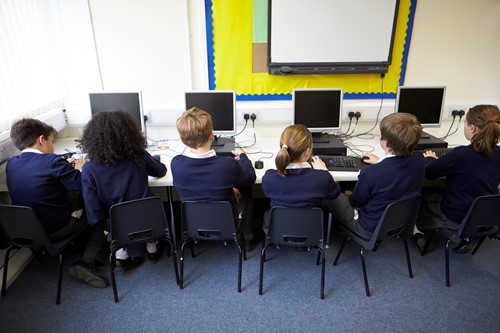
As a primary teacher, your ultimate aim when you’re engaging students with ICT in either your own classroom or the ICT classroom is to enable them to reach the stage where the technology they are using becomes sufficiently transparent that they are almost unaware of its existence. While this is what it means to develop children’s ICT capability when you teach ICT capability the children need to become focused on using ICT as a tool to achieve other outcomes that they hardly notice that they are using technology itself.
You know the feeling! Many of us use word processors effectively meaning that we don’t even think about it, we just do it. Or when using Google to search the WWW. You have developed a range of ‘transparent’ routines and ICT techniques that are part of your unconscious action.
It should be the same for your students when you teach ICT capability in the ICT classroom or anywhere else.
Before I get into this any further, you need to understand the different levels of engagement and purpose of classroom ICT.
There are two types of classroom ICT that you need to consider when planning ICT use. They can be categorised into two categories – the computer is in control and the computer provides tools. I will provide examples of engaging in classroom ICT for both of them.
Computer in Control
In this type of technology, students are ‘restricted’ to either a specific response to what the computer decides to show them or a drill and practice programs. Earlier in another article, I discussed the disadvantages of this type of technology as an Integrated Learning System. Such systems require minimal capabilities on the part of the students.
This does not mean that they are not engaging. Examples of ILS are literacy specific software and provides one way that you as a teacher in primary education can teach literacy with ICT. However, it does little to develop their ICT capability with classroom ICT and in fact, works more on teacher ICT capability as you have to diagnose students’ progress.
It is because of its minimum use by the students themselves that it does not have a high level of engagement by students. A high level of engagement requires students to develop their higher order thinking skills. The subject-specific software engages them in learning about the subject only. This is great if this is your goal with the classroom ICT. However, teachers in Australian primary education, for example, need to also focus on developing and teaching ICT capability.
This brings me to the next type of classroom ICT.
Computer provides tools
In my view, this type of classroom ICT provides the maximum amount of engagement for students as it enables you to equip students with sufficient experience to enable them to use classroom ICT without having to stop and think.
The most effective way for you to teach ICT capability that involves ICT techniques is to create a need, and then to be on hand to show them what to do when they are engaged in the problem. You need to develop children’s abilities and confidence to make independent choices.
Tool classroom ICT enables you to develop student ICT capability that involves getting students engaged in routines, ICT techniques, conceptual understanding, and higher order thinking skills in order to achieve an ICT solution to the problem. Teaching literacy with ICT in primary classrooms is the best way to achieve this today. Let’s take a closer look at how this can be achieved.
Literacy and ICT in the primary school classroom can work hand-in-hand as we know that ICT can motivate students to learn. When they are actively engaged in the learning process they do learn more. Active engagement when teaching literacy with ICT may involve physical movement and/or verbal interaction. It always involves cognitive thinking on the half of the students.
Classroom ICT can have a tremendous positive impact on student motivation. Students find the use of classroom ICT enjoyable. For example, the Internet and other ICTs can be very engaging, sometimes increasing self-efficacy or belief in ability to read and write.
Teachers who effectively integrate instruction for literacy with ICT are able to distinguish among motivation, engagement and learning, thus keeping their eyes on the ultimate goal of learning.
The most engaging classroom ICT for literacy, therefore, are the ones that allow you to model and demonstrate the appropriate use of ICT such as:
Word processors – these can contribute to the writing process when students plan and draft work, edit work, proofread their final version of work, and present their work. Editing offers powerful possibilities and may be structured in ways that develop both literacy and ICT capability.
Graphics software – Yes, that’s right! Your children can design logos when you teach ICT capability whilst supporting work on interpreting methods of communication. Drawing programs can be used to create images to communicate information in newspapers and magazines. They can select and manipulate images from a wide variety of sources.
Graphing programs – If you want children to engage with information critically and so you want them to have a range of opportunities through which to explore the issues of selection and presentation of data.
Databases – You can make effective use of databases at the primary school level when you teach literacy with ICT as they provide opportunities for the teaching and reinforcement of a range higher order language skills such as keyword selection and the skimming and scanning of text.
Each of the above classroom ICT can be effectively taught through whole class teaching.
Using ICT as a Teaching and Learning Strategy
One of the key characteristics of ICT as a teaching and learning strategy is whole class teaching. In this article, I will discuss the value of ICT in the ICT classroom. You will learn whole class teaching strategies that will enable you to harness ICT in the classroom.
What is whole class teaching? It is simply about bringing the whole class together as a large group. It is effective for the reason that you can initiate a whole class discussion, demonstrate new ICT techniques and concepts to students that you can follow up as individuals or small group interventions.
When developing student ICT capability, the use of whole class teaching with a large screen is one of the most successful strategies that you can use in the classroom. This is dependent on whether you use it to model and demonstrate ICT techniques the appropriate use of classroom ICT such as the software mentioned earlier.
For example, with word processors, you can model the appropriate use of classroom ICT such as scribing and amending shared writing in literacy lessons by using whole class teaching or a group using the IWB. Additionally, you could demonstrate how to insert an image into a word processor document, cutting and pasting, or deciding how and when to use the spell checker when teaching literacy with ICT.
While we are on the topic of IWB, it is significant to understand that in order for students to develop into discerning and creative users of ICT along with having such critical, confident, and expansive depositions
towards ICT, they need opportunities to develop their ICT capability over time. This can only be done if they use and apply their skills, knowledge and understanding across a range of purposeful and meaningful contexts.
IWB can be used for many good reasons when it comes to whole class teaching as it is engaging and interactive. However, a child’s ICT capability will not be developed by simply inviting children to drag and drop objects around an IWB every now and then in a whole class lesson.
Despite this, whole class teaching strategies with the use of ICT can be useful when using the IWB in conjunction with a digital project. You could this strategy to organise ICT in a high resource setting such as an ICT classroom. Whole class logons with the same username and password into a general area on the network is just an idea that many teachers use. Yet, remember the simple rule that unless the children are very young, they should be taught to log on themselves. Whole class teaching demonstrations can and should still take place, but they need to be a sensible length, enabling students to make the best use of the time available.
A final note to remember about this is that children can contribute to the whole class understanding and skills development in ICT capability. You always need to provide them with the opportunity for them to do so at times during, or at the close of the session.
What about low ICT resource settings? Not all schools are resourced equally so whole class teaching strategies can be enhanced by using the following principles (Allen, Potter, Sharpe, & Turvey, 2012, p. 25):
- Ask the children to discover during the session, and then report back on, different ways of doing the same thing. In a writing program for example, how can they make text appear in a different font size or colour?
- Stress regular, practical instructions. One such regularly repeated instruction should be ‘Save before you print’, in order to avoid the inevitable heartache which arises when a document gets lost.
- As is the case with all good primary practice, question children who don’t always jump up and down with the answer (don’t favour the loud over the quiet).
- Do not allow one gender or group of children to dominate. Stress the team-building aspects of sharing strategies so that they/we can all use the computer efficiently and safely.
- Involve children in a discussion about safety – monitor position, length of time, seating, and so on.
- Value what children contribute even when it is patently wrong. Help them to discover a better way constructively (e.g. ‘That’s a good suggestion but …’).
- Draw on children’s experience of ICT at home or in other community settings.
Conclusion
The use of ICT in the traditional classroom or ICT classroom itself enables you as the primary teacher to make inherent use of its provisionality. It has capabilities to reach the average student in the classroom and shares teaching strategies similar to that in literacy lessons. Whole class teaching strategies are, therefore, ideal when teaching literacy with ICT with the added goal of developing ICT capability.
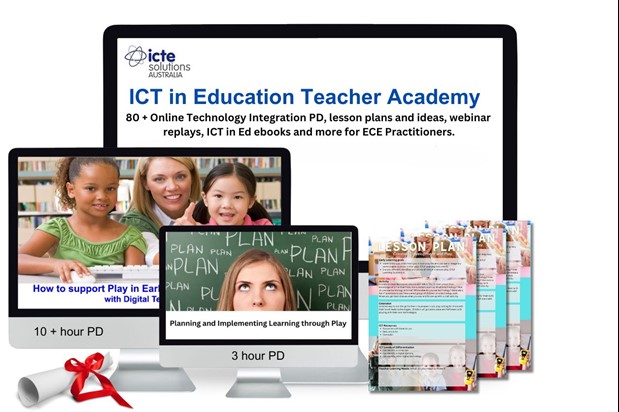
How Our Membership Supports ICT Integration
By becoming a member of the ICT in Education Teacher Academy, you’ll gain access to the resources and professional development needed to successfully integrate ICT into your classroom. Our membership offers:
- Expert-Led ICT Workshops for Teachers: Ongoing workshops that cover everything from basic technology use to advanced integration strategies.
- Curriculum-Aligned ICT Lesson Plans: Ready-to-use lesson plans that incorporate the best practices for ICT in the classroom.
- Ongoing Professional Development: Access to a community of educators, sharing resources and tips for continuous technology integration success.
Our membership provides more than just ICT workshops for teachers—it’s a community of technology integration success, helping you stay updated on the latest tools, resources, and best practices in ICT.